Features
Action Menu
Quick AI operations on selected text across any application.
The Action Menu is your gateway to Tabby's power. It works anywhere you can select text—be it an IDE, a web browser, or an email client.
Triggering the Menu
Press Ctrl + \ to open the Action Menu. If you have text selected, it will be automatically pulled into the context.
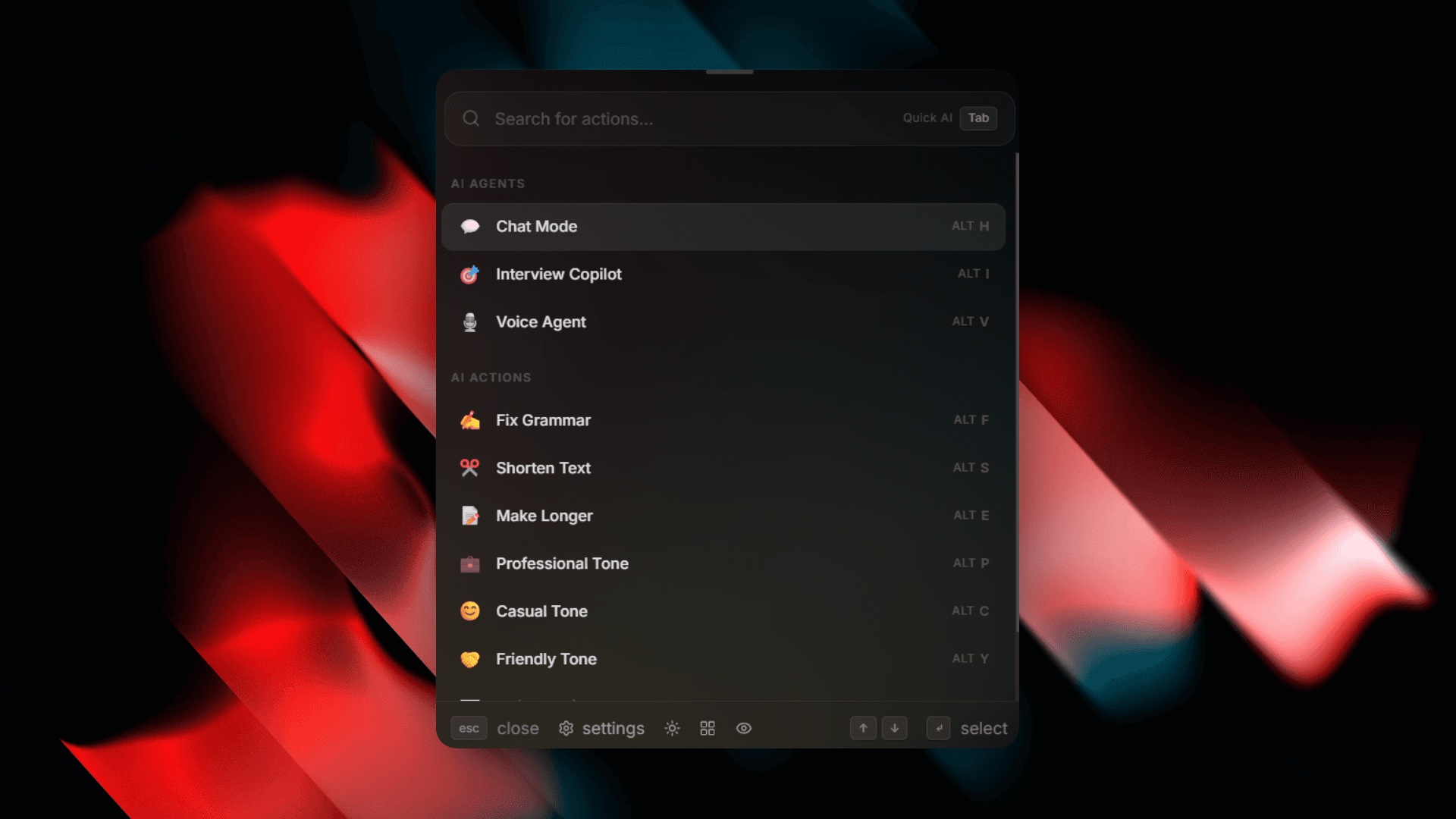
AI Agents
The Action Menu provides access to specialized AI Agents designed for different workflows:
- Chat Agent: A system-wide assistant that can control your desktop, manage your memory, and perform complex tasks.
- Interview Copilot: Real-time assistance for technical interviews, featuring screen capture and approach analysis.
- Voice Agent: Hands-free, real-time voice communication with the AI.
Text Actions
Tabby includes a variety of shortcuts for rapid text editing. While you can access these via the Text Agent grid, you can also search for them directly.
- Fix Grammar: Instantly correct spelling and grammar.
- Shorten/Expand: Adjust the length of your selected text.
- Tone Adjustment: Switch between Professional, Casual, or Friendly tones.
- Email Writer: Turn notes into structured emails.
- Custom Prompt: Give any specific instructions for text transformation.
For more details on each tool, see the Text Actions documentation.
Output Modes
You can choose how the AI's response is delivered:
- Paste (Default): The result is copied to your clipboard and pasted immediately.
- Typewriter: The AI types out the result character-by-character. This mode is useful for avoiding automated text detection or for a more natural look.